Showing posts with label MICROSOFT. Show all posts

Friday, 31 July 2015

HOW TO ACTIVATE WINDOW 10

Due to the high cost of purchasing a licensed key for Microsoft Software, you can find your way with the window 10 using the under-listed product keys.

Use these KMS Keys for your corresponding windows 10 editions:-
1. Windows 10 Professional W269N-WFGWX-YVC9B-4J6C9-T83GX
2. Windows 10 Professional N MH37W-N47XK-V7XM9-C7227-GCQG9
3. Windows 10 Education NW6C2-QMPVW-D7KKK-3GKT6-VCFB2

4. Windows 10 Education N 2WH4N-8QGBV-H22JP-CT43Q-MDWWJ
5. Windows 10 Enterprise NPPR9-FWDCX-D2C8J-H872K-2YT43
6. Windows 10 Enterprise N DPH2V-TTNVB-4X9Q3-TJR4H-KHJW4
7. Windows 10 Enterprise 2015 LTSB WNMTR-4C88C-JK8YV-HQ7T2-76DF9
8. Windows 10 Enterprise 2015 LTSB N 2F77B-TNFGY-69QQF-B8YKP-D69TJ

Example for Windows 10 Pro – CMD (Admin)
Enter each line and press enter

slmgr/ipk W269N-WFGWX-YVC9B-4J6C9-T83GX
slmgr/skms kms.xspace.in
slmgr/ato

For others just download Windows 10 iso from microsoft. Check the os on your system first e.g. single language and download the single language edition iso on Microsoft website. Mount/extract the iso and install from there. It will be pre activated.

Good luck

Thursday, 22 May 2014

How to Root Motorola Moto E

Motorola’s new budget android smartphone Moto E is now received the root method. You can easily gain root access by flashing SuperSU app on your mobile by custom recovery. So, first you need to install the TWRP recovery and then flash the SuperSU. Its a hard one for the new users of Android. Don’t worry about it. We have compiled a step by step guide for you to easily get a root access for your device. A user named as “deej_roamer” from XDA Developers forum has found this method. We are clearly inform you that, all the credits goes to the original developer. If you are a new user to Android, you might doesn’t know about the root. For those who don’t know the meaning, here is it. It allows other files or data from third party to access system files. This will give the function to do customization of user interface, some apps which also comes in Custom ROM. After rooting your mobile, you can do any kind of process that need a root access for ROM installation, ClockWorkMod Recovery, and some other apps that need a root access.
Moto E Root and Twrp recovery

The Motorola Moto E is comes with the latest Android 4.4.2 Kitkat Operating System. It has comes with 5 Mega Pixel Primary camera that supports 2592 ? 1944 Pixels and there is no secondary camera. It have the main feature of the 4.3 Capacitive Touch Screen that supports 540 x 960 Pixels. The mobile has the internal Memory of 4 GB and there is an external memory card slot also which supports up to 32 GB. And it comes with 1 GB of RAM which is much enough for playing high end graphics games and more apps. This is the one of the best budget android smartphone in market compared with other mobiles which is comes with Qualcomm Snapdragon Dual-core 1.2 GHz Cortex A7 processor.


A Must Read: Learn How to Start recharge card printing business today.
  Warning:
  • We are not responsible for any damages that may happened due to using this guide. If any problem happens that related to installing, we will help you to solve it.
  • Rooting is voids your warranty of your phone.
  • Rooting the phone will not flash the phone. So, you won’t lost the files after that.
  • Use this guide at your own risk. We shall not have any liability or responsibility for whatever happens to you and your device by using the instructions in this guide.
  • The instructions provided in this tutorial for educational purpose only. There is no guarantee that these steps will work for your device.
  • The steps given in this tutorial is only to use with Motorola Moto E. And the model number is XT1022, XT1025. Applying this guide to any other device or any other model may produce many problems.
  • Read and Understand the whole tutorial first, before going to perform the steps.
Pre Requirements:
  • A Motorola Moto E Android Smartphone.
  • A PC or Laptop with Working Internet connection.
  • We recommend you to take a backup of your data in the mobile using PC suite or any other method. After the process, the data won’t be deleted. In case if you miss some data you can restore it from the backup file.
  • SMS – How to Backup Messages
  • Contacts – Sync with Gmail App
  • Videos, Images, Songs and Other Files – Copy to internal / External SD card or System
  • APN Settings – Take Manual Note from “Settings > Wireless & Networks > Mobile Networks > Access Point Names”
  • Then maintain minimum 60% charge in your mobile’s battery. This will help your device to don’t get switched off.
  • And Enable USB Debugging –
  • Then Disable any antiviruses and firewalls in your PC or Laptop. Because these tools may interrupts the process.
Download Files:
The following files are need to perform the process in the guide. So, download the following files one by one. And make sure that you have downloaded all the files. If the following download links were broken. Inform us to re post the download files.
  • TWRP recovery Image – moto_e_twrp2.7.0.0_v1.2.img (10.03 MB) – here
  • Super SU – UPDATE-SuperSU-v1.99.zip (1.18 MB) – here

How to Install TWRP Recovery & Root Motorola Moto E:

  • Move the “UPDATE-SuperSU-v1.99.zip” to the SD Card.
  • Make sure you have installed USB drivers on your PC.
  • First you need to unlock the bootloader.
  • Don’t delete the ADB folder that downloaded while unlocking the bootloader.
  • Move the downloaded recovery img file to the ADB folder.
  • Then Connect the phone to the Computer using the original USB Data Cable that you got it when you bought the phone. Using other kind of cables may not be detected by the PC or laptop. So only we are recommend you to use the original cable.
  • Now reboot the phone in to Fastboot mode. For that, switch off the phone, Press and Hold the “Volume Down + Power” buttons together.
  • Now open the Command Prompt in the ADB folder. For that, Press and hold the Shift key then right click on the mouse. Then choose the Open Command Prompt here.
  • Then Type the following command in Command Prompt:-
fastboot flash recovery recovery.img
  • Then it will install the Recovery on your mobile. After installation your device will be rebooted. If not, type the following:-
fastboot reboot
  • To root the phone you have to flash the Super SU on Recovery. So, open the recovery by typing the following:-
adb reboot recovery
  • Now select the option to install the zip file. Browse and select the Super SU file from the SD card that you moved earlier.
  • Follow the instructions on your mobile.
  • It will take some long time to complete the process.
  • After the installation, reboot the phone.
  • First boot takes some long time. Don’t worry about it.
  • If your device stuck on the boot screen, re do the process again.
  • If you want to check your phone is rooted or not, download and install the Root Checker app from Google play.
You made it easily! Your mobile has rooted and TWRP custom Recovery has installed successfully. If you face any kind of problem, trouble or have any issue that may be difficult to understand how to do it with this guide, then don’t stop to inform us. Do share in comment section in case if you face any problems or met any errors in firmware update process. Your problems, suggestions or any other issues will be clarified and the correct answer or solution for your problem will be given to your comment as soon as possible.

Sunday, 8 September 2013

Microsoft launches MSN Nigeria Portal


Devices and services company, Microsoft has partnered with Kagiso Media to officially unveil the MSN Nigeria portal in Lagos.

Accordingly, the partnership with Kagsio sees Ad Dynamo providing contextual advertising on Microsoft’s network of sites, including Windows Live Hotmail with over 800,000 users in Nigeria and Windows Messenger with over 820,000 active users in Nigeria.

This is part of the strategy to expand the Microsoft Network (MSN) Portal to deliver locally relevant news that are tailored to address local users in Nigeria and Africans in diaspora.

The Microsoft’s Acting Country Manager, Awawu Olumide-Sojinrin while speaking during a media round table disclosed that the MSN Nigeria portal features the trademark MSN homepage dedicated to Nigerian news, sports, lifestyle, entertainment and weather as well as links to other Microsoft-related services such as Bing, Outlook and Skype.

He told IT journalists that the portal is expected deliver locally relevant news tailored to address local users in Nigeria and Africans in diaspora respectively.

Also speaking, Justin Dewhirst, Area Executive Producer, CEE & MEA, Apps Media & Publishing Microsoft, tld the gathering that the, “MSN is about bringing contents together in one portal and Kagiso has built the expertise for great experiences on the Windows operating system”.

According to him, “MSN is accessible on personal computers (PC), smartphones and feature phones. He reiterated that MSN Nigeria is a way to synchronize great people with great technology in the process of building a greater content experience.

For Dele Akinsade, Director Developer Platform Evangelist, West East and Central Africa Microsoft during the demonstration of the portal, said that already, MSN Nigeria syndicated local news in Nigeria from the News Agency of Nigeria (NAN), as well as publishers such as BangShowbiz.

“It also features dedicated pages for news (national, African and world news), sport (local and world sport news), entertainment (local and global celebrity entertainment news) and lifestyle (including fashion, travel, tech & gadgets, motoring).” he expplained.

Throwing more lights on the partnership, Marcus Stephens, General Manager- Publishing, Kagiso Media said Kagiso Media has been partnering with Microsoft since 2010 to share the vision for building communities with local talent content providers.

“There is a growing hunger for localised content across Africa as undersea cables, mobile broadband and falling Internet access costs bring more people online. We aim to address this need with the same formula of locally relevant, easy to digest content that we offer our audience in South Africa,” he said.

Sunday, 27 January 2013

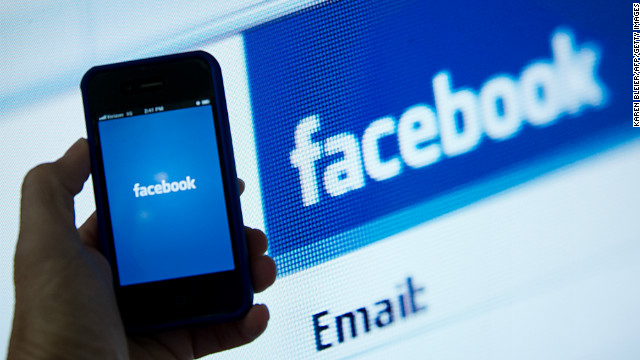
Facebook's mobile app dominated in 2012

According to the latest stats from comScore, Facebook was the most popular mobile app in the United States in 2012. The Google Maps app held the top position until October, when Apple rolled out its latest mobile operating system, iOS 6, and replaced the built-in Google Maps app with its own, less accurate version.

Of course, Facebook also had a hand in its own success. Its number of monthly unique visitors rose steadily over the course of the year. In August, the company rolled out a long overdue revamp of its iOS mobile app for iPhone and iPads, significantly speeding up the launch, scroll and browsing times. User reviews in Apple's App Store shot up as a result, and in December the company followed up with a better version of its Android app.
Facebook started 2012 facing criticisms of its mobile strategy, and while there are still lingering questions about how it will make money off of mobile, these stats show its adept at transferring the Facebook experience to tablets and smartphones.
People aren't just opening their Facebook app the most, they're spending astonishingly large chunks of time in the app, poking around and reading up on their friends. The social network's app was the single largest, single app time suck, accounting for 23% of the time people spend using mobile apps, according to comScore. Instagram was a distant second accounting for just 3% of the time people spend in apps. Google's app with the most engagement was Gmail, but in total 10% of users' time was spent across various Google apps.
The more interesting story in the coming year might be Google's rise to dominate all mobile platforms, not just its own Android operating system.
Facebook may have the No. 1 spot locked up, but Google apps account for the next five most popular apps. After Maps, Google Play, Google Search, Gmail and YouTube were the top apps on Android and iOS devices in December. Google only re-released an iOS version of its Maps app in December, which could continue to fight back and possibly overtake Facebook in 2013.
Apple's only app on the list is iTunes, coming in at 8th place. Rounding out the top 10 list are Pandora Radio, Cooliris and Yahoo! Messenger.


Eating your own, Microsoft style

Eat your own, or somebody else will. That's the new mantra in the device world.
Here's what Apple said this week on that topic.
In terms of cannibalization and how we think about this, I see cannibalization as a huge opportunity for us. One, our base philosophy is to never fear cannibalization. If we do, somebody else will just cannibalize it and so we never fear it. --Tim Cook.
This was said in response to an analyst's question during the company's first-quarter earnings conference call. Earlier in the call, Apple, in its prepared remarks, said that it sold 4.1 million Macs in the quarter, more than a million less than the 5.2 million sold a year ago in the same period.
But iPad sales appear to be more than compensating: 22.9 million iPads were sold during the quarter compared with 15.4 million in the year-ago quarter.
So, how are PCs faring in comparison? Worldwide PC shipments totaled 89.8 million units in Q4, about 6 million less than the 95.9 million shipped in the same period last year, according to IDC.
Problem is, the PC industry doesn't have -- and didn't have for years -- something like the iPad to cannibalize (a word I use loosely, as its original meaning has been hijacked by analysts) old-school designs, so there is no net gain. It does now have Microsoft, though.
Microsoft (now a PC maker, by the way) isn't so much cannibalizing as trying to eat its customer's lunch. All in a very controlled, civilized way, of course. (And very necessarily, many would argue.)
Here's what Microsoft said this week during the company's earnings conference call about the Surface tablet (via Seeking Alpha).
With the broadening of the Surface lineup, we will continue to highlight the power of Windows 8 tightly integrated with fantastic hardware. --Peter Klein, chief financial officer
Translation: more Surface stuff on the way. More nibbling on partners' blue plate specials.
Meanwhile, Windows 8 PC purveyors are desperately trying to replace traditional PCs with designs that don't exactly cannibalize but straddle the old and new. Acer (which isn't fond of Microsoft the PC maker) has, for example, the Aspire S7, which is arguably one of the top, aesthetically speaking, Windows 8 touch-screen laptops out there right now. And it now has a pair of Windows 8 Iconia tablets that become laptops when attached to dedicated docks.

I HOPE THIS HAVE BEEN VERY INFORMATIVE,

Get the Full Material delivered to your Email, . Call us on 07034538881

Follow Us On Twitter,
Like Us On Facebook,
Join Our Cycle On Google+

we can keep u updated by subscribing for free using your email
For more clarification, Please Leave a comment.

Related Posts Plugin for WordPress, Blogger...